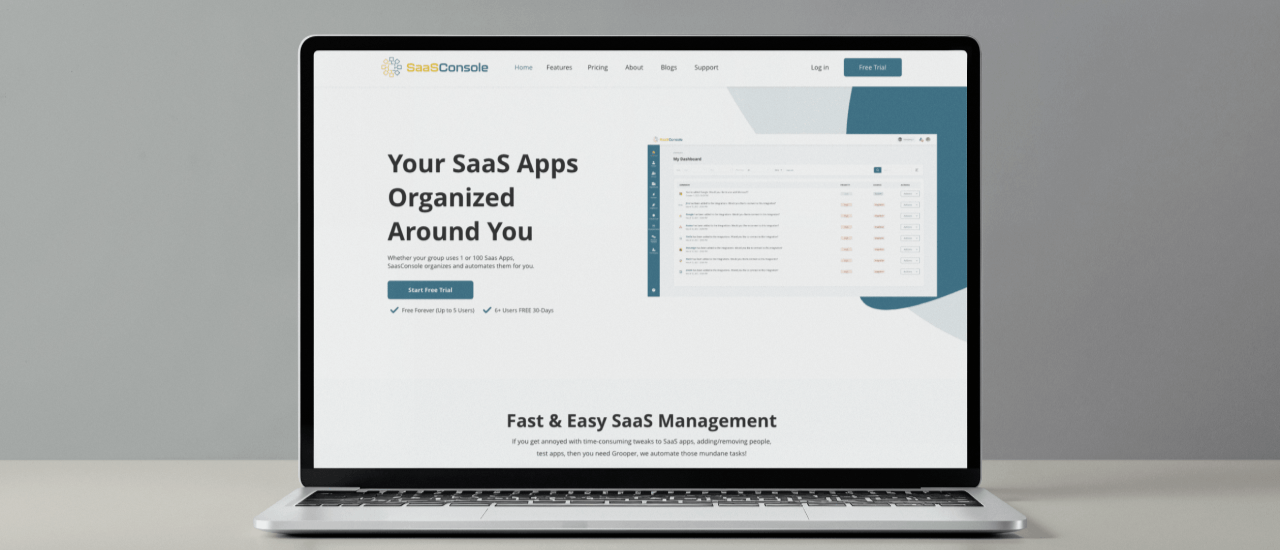
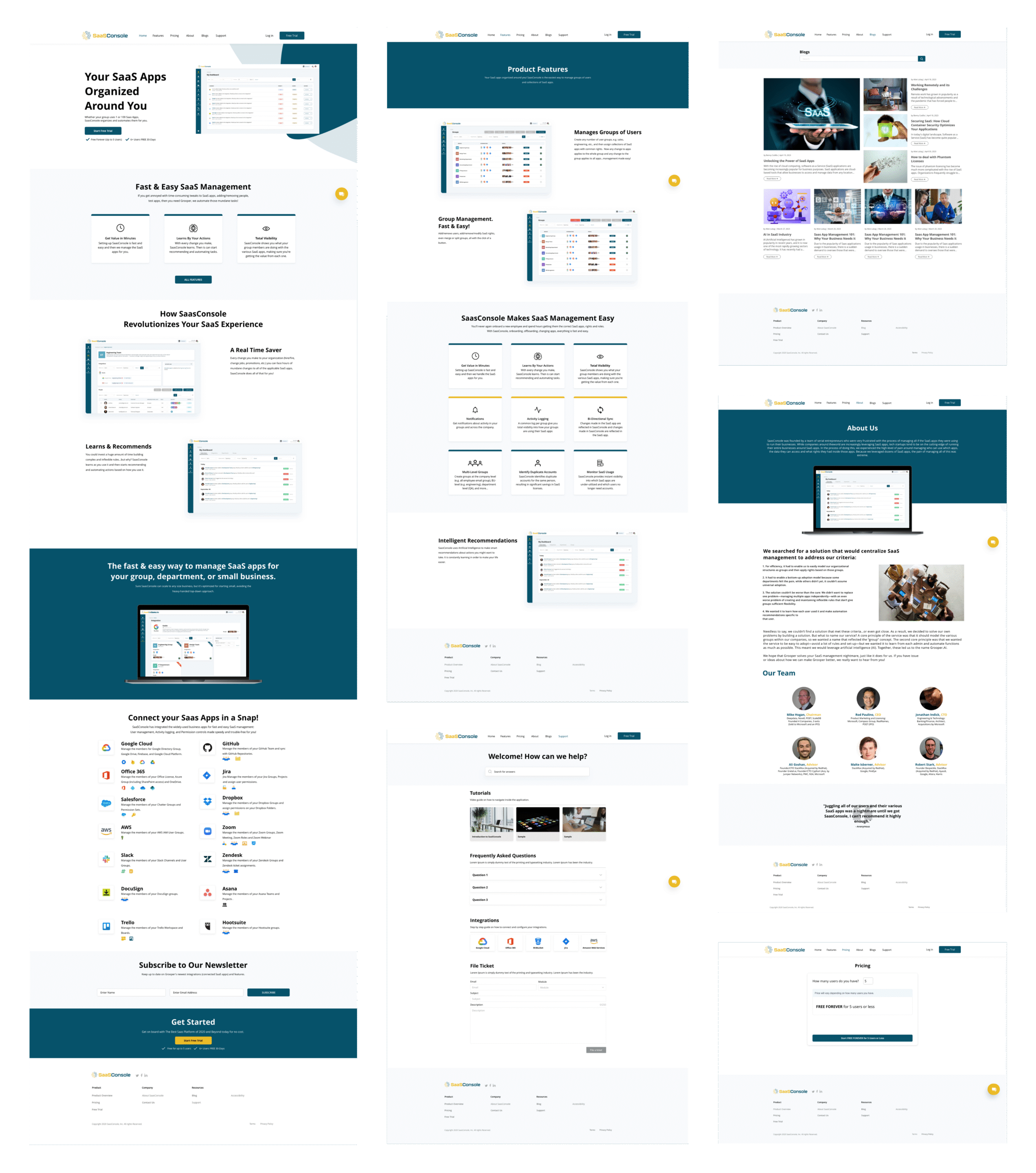
Modern teams rely on dozens of SaaS tools, and managing them individually quickly becomes messy and risky. SaaSConsole solves this by acting as a single control layer for your entire SaaS ecosystem. Instead of switching between multiple admin panels, teams use SaaSConsole to oversee access, permissions, and application configurations from one centralized dashboard—bringing clarity, consistency, and control to SaaS operations.
Role
Product Designer – User Research, Visual Design, Interaction and Prototype
Tool Kit
Adobe XD, Adobe Illustrator and Adobe Photoshop
The Problem
SaaSConsole did not have a marketing website to explain its purpose and value. Potential users had no easy way to learn about the product or its benefits. This limited visibility, trust, and opportunities to grow the user base.
The Solution
To address the lack of a marketing presence, I designed a modern, user-friendly website for SaaSConsole. I focused on clearly communicating the platform’s value, explaining its key features, and highlighting the benefits for teams managing multiple SaaS tools.
I structured the site to guide visitors through the product story, build trust, and make it easy for potential customers to understand how SaaSConsole can help them. With a clean layout, clear messaging, and intuitive navigation, the website improves visibility, supports lead generation, and strengthens the brand presence online.
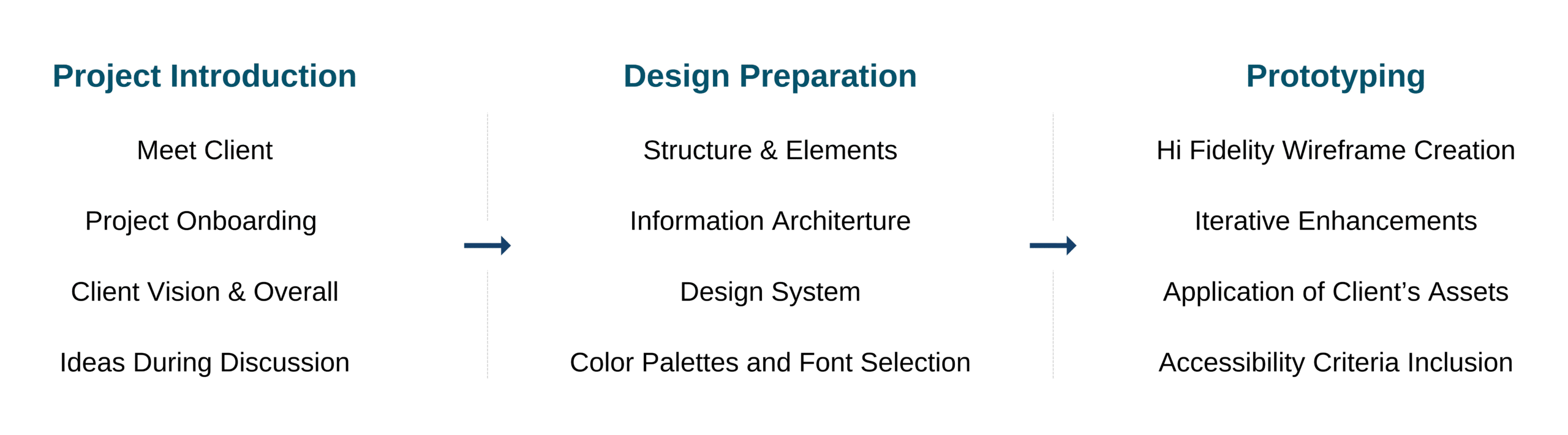
The Process
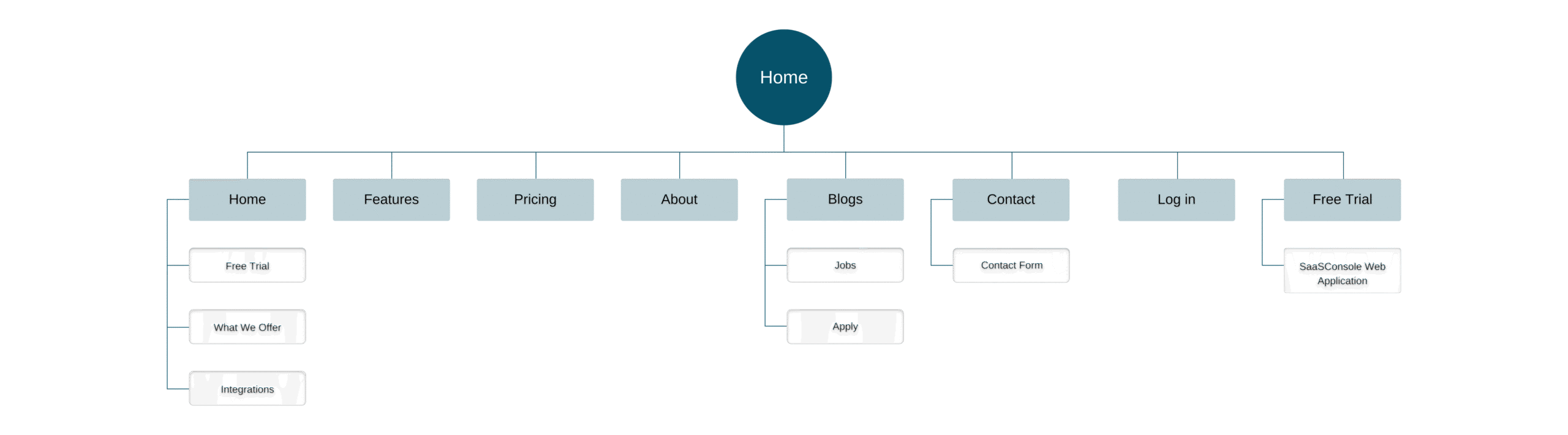
Site Map
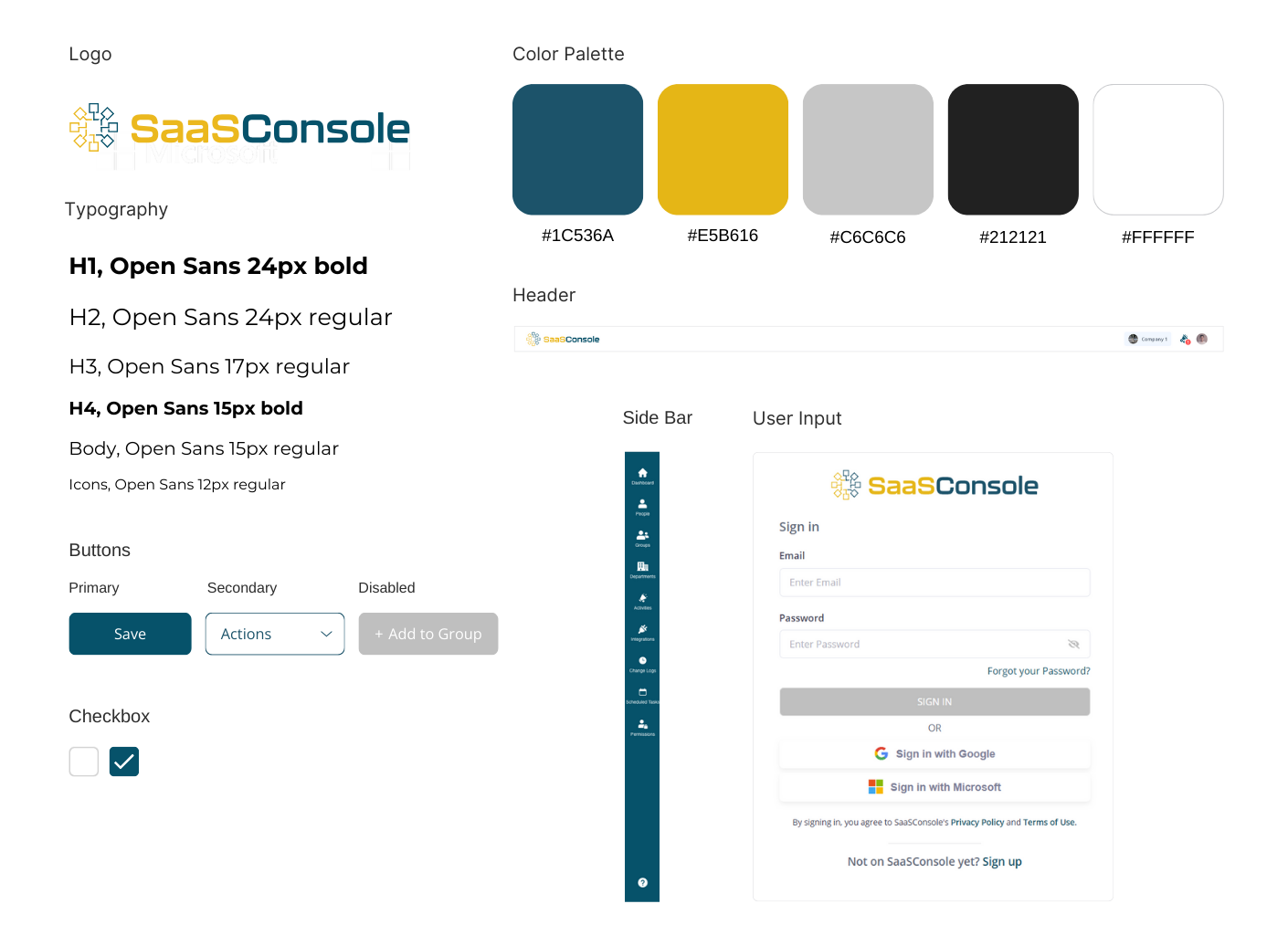
Components
Developing the Designs
Laying Out the Dashboard Structure I started by mapping out the key screens and sections of the SaaSConsole marketing website. Instead of beginning with low-fidelity wireframes, I drafted the core layout to quickly visualize the information hierarchy, page flow, and how key content areas would guide visitors through the product story.
Designing Visual Direction With the layout in place, I introduced typography, colors, spacing, and visual elements to establish a cohesive look and feel. I focused on clarity and readability, making sure each section communicates its purpose while keeping the design clean and approachable.
Building Reusable Components As I progressed, I identified repeating patterns such as cards, buttons, feature blocks, and iconography. I created reusable components to maintain consistency across pages and speed up future iterations. This also ensured the website could scale easily as new features or sections were added.
Creating an Interactive Prototype I built a clickable prototype to simulate user interactions and navigation flow. This allowed me to test how visitors would move through the site, validate messaging, and gather feedback for refinements before finalizing the visuals.
Final Refinements After several rounds of iteration and feedback, I polished the final mockups, paying attention to alignment, spacing, responsiveness, and subtle interactions. The result was a clear, functional, and visually appealing marketing website ready for development.
1. Start with the User Journey, Not Just Screens Mapping how visitors would explore the marketing site early helped me prioritize content placement and calls to action before diving into visuals.
2. Visual Hierarchy Drives Engagement I learned that subtle adjustments to size, spacing, and color can guide users’ attention and make complex product information easy to digest.
3. Iterate Copy and Design Together Designing layouts while refining messaging helped me avoid gaps between visuals and explanations, ensuring the site clearly communicated SaaSConsole’s value.
4. Responsive Design Requires Early Planning Accounting for multiple screen sizes from the start prevented major redesigns later and ensured the site worked seamlessly on both desktop and mobile.
5. Feedback Shapes Priorities Regular check-ins with the team revealed which sections resonated with users and which were confusing, allowing me to focus on what mattered most and remove unnecessary clutter.